


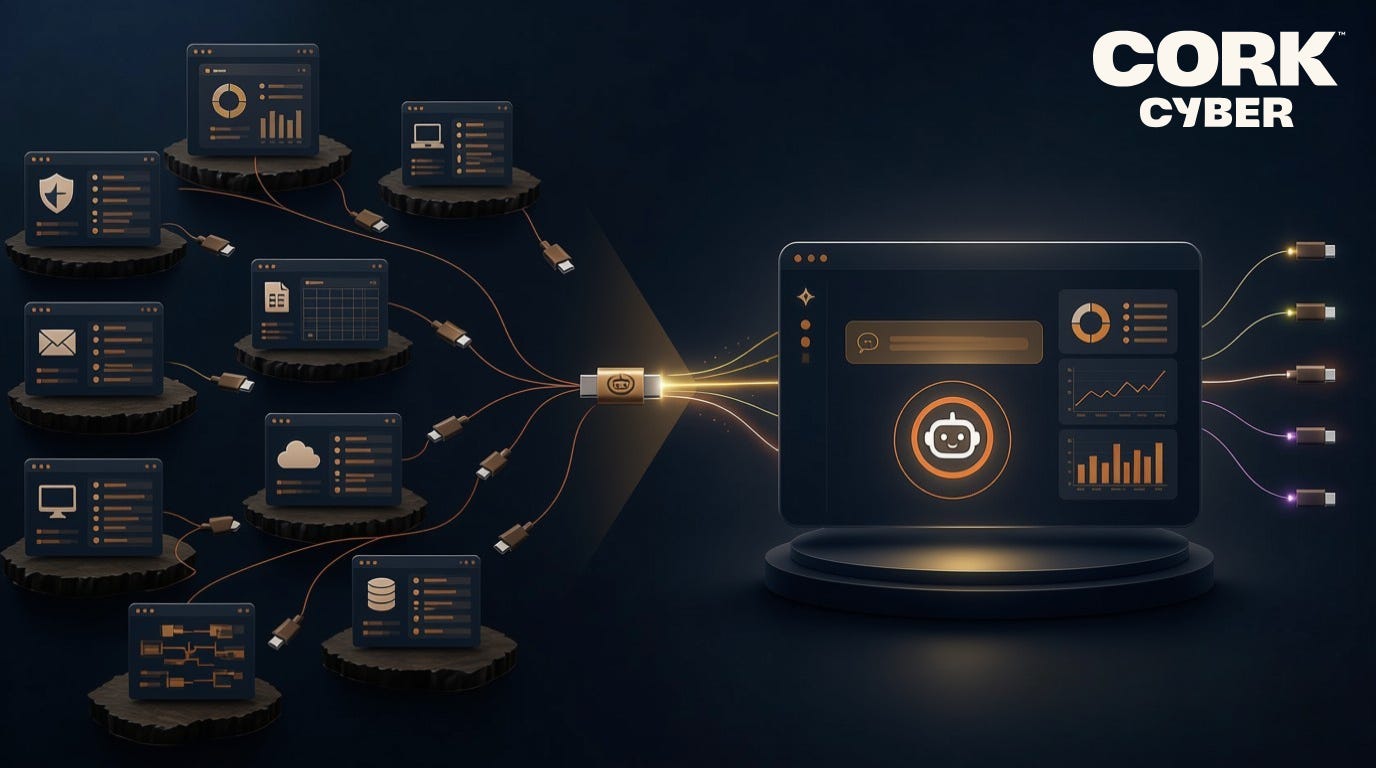
Think about how you get an answer out of your stack today. Let’s say a client asks a fair question: are all of our machines actually protected? To answer it honestly, you log into the EDR and pull a list. Log into the RMM and pull another. Export both. Line them up in a spreadsheet. Find the machines that appear in one and not the other. An hour later you have an answer that includes information from just two of your security tools, and it is already slightly out of date.
The data was never the problem. It was all right there. The problem was the work of getting an answer out of it. That is the specific thing that is changing, and the name for what is changing it is MCP.
What MCP actually is (and what it isn’t)
What it is: MCP stands for Model Context Protocol. Strip away the acronym and it is a simple idea. It is a common way for an AI assistant to connect to the tools and data you already use.
The useful analogy is USB-C. Before a universal connector existed, every device needed its own special cable, and nothing quite fit together. MCP is that universal connector, but for AI platforms. It gives an assistant a standard way to plug into a system, ask it for information, and get a structured answer back. Once a tool speaks MCP, any assistant that speaks MCP can work with it.
That last point matters more than it sounds. MCP is not tied to one AI company or one product. It is an open standard, which means you are not locking yourself into a single vendor’s assistant to get the benefit. You can use the tool you prefer today and a different one next year, and the connection to your data still works.
What it isn’t: MCP is not a new dashboard to learn. There is no console to master. The interface is a plain-language question. It is not a replacement for your tools. MCP is the layer that lets you ask about them, not a substitute for them.
Also, it is not your data being handed off somewhere to train a model. A connection through MCP is you pointing your own assistant at your own systems to answer your own questions. You stay in control of what it can see and what it can do.
Why this matters for an MSP specifically
Every MSP lives the same reality. You do not have a data shortage. You have a data-scattered-across-a-dozen-tools problem. The friction is never finding whether the answer exists. It is assembling it from pieces that live in different places and do not talk to each other.
That is exactly the friction MCP removes. Instead of logging into each tool and stitching the pieces together by hand, you ask a question once, and an assistant connected through MCP pulls what it needs from the connected sources and hands you the answer. The hour of exporting and reconciling becomes a sentence.
Picture the questions you would actually ask:
Which clients have an endpoint missing EDR right now?
Which mailboxes got added this month but never made it into the email security policy?
Which of my clients are trending in the wrong direction on their security posture?
These are the questions you already want answered and rarely have time to chase down. MCP is what makes them a quick ask instead of an afternoon.
Where Cork fits
Here is why this pairs naturally with the way Cork already works.
The value of asking a question across your stack depends entirely on something behind the scenes having already unified that stack. If your tools are still a dozen separate islands, an assistant has a dozen separate places to go and no way to reconcile them, and that’s only if it’s possible to connect into them directly. Cork has already done that reconciliation. It connects to the tools you run and cross-references them into one source of truth.
So, when you connect your AI platform of choice to Cork through its MCP connection, you are not querying one tool at a time. You are asking questions against the whole cross-referenced picture, the same unified view that surfaces your coverage gaps and your wasted spend. Since Cork’s connection is built to be assistant-agnostic, you bring whatever AI tool your team already prefers.
Regarding the questions you may usually ask, here’s how Cork answers them:
Which clients have an endpoint missing EDR right now?
Cork is already matching every device your RMM sees against every device your EDR sees, so the answer is the list of machines that appear in one and not the other, with how long each has been that way.
Which mailboxes got added this month but never made it into the email security policy?
Cork tracks every inbox in the tenant against what the email security tool is actually covering, and stamps each gap with the date it opened, so scoping it to this month is part of the same question.
Which of my clients are trending in the wrong direction on their security posture?
Cork scores every client daily and keeps the history, so the answer is which scores moved down and which specific gap moved them.
The one honest caveat
An answer is only as good as the data underneath it. This is the through-line of everything in this series. If your visibility is incomplete, a fast answer just gets you to a wrong conclusion faster. Getting the stack seen clearly comes first. Once it is, the ability to question it in plain language is what turns that visibility into something you use every day rather than a report you glance at once a quarter.
It is also worth saying that the assistant gives you the answer, not the decision. It can tell you which endpoints are exposed. Deciding what to do about them is still your job, and should be what you bring to the table.
The shift worth noticing
For years, the promise was better dashboards: More screens, more charts, more places to look. The shift underneath MCP is different. It moves you from hunting for answers to simply asking for them, reducing the need for tabbing between dashboards and learning what pages to export.
If you are not an MSP but you rely on one, this is quietly good news for you too. It means the provider protecting your business can answer real questions about your environment in minutes instead of days, which is the difference between security you are told about and security you can actually see. This also gives them more times to consider how technology can impact your business needs.
This post is the on-ramp to discussing the real value an MCP connection can bring. In a later piece we will get concrete about what it looks like to go from ten open dashboards to a single question, and how that reshapes the daily work. For now, take a look at the Prompt Distillery we created to get our partners started.
Your security data can answer questions now. You just have to ask.